This article explains how to register and integrate the GST E‑Invoice API with eCount software.
📋 Overview
The E‑Invoice API enables eCount to submit GST invoices directly to the NIC portal. Registration is done on the NIC E‑Invoice web portal and the credentials are then entered in eCount.
🔧 Steps / How-to
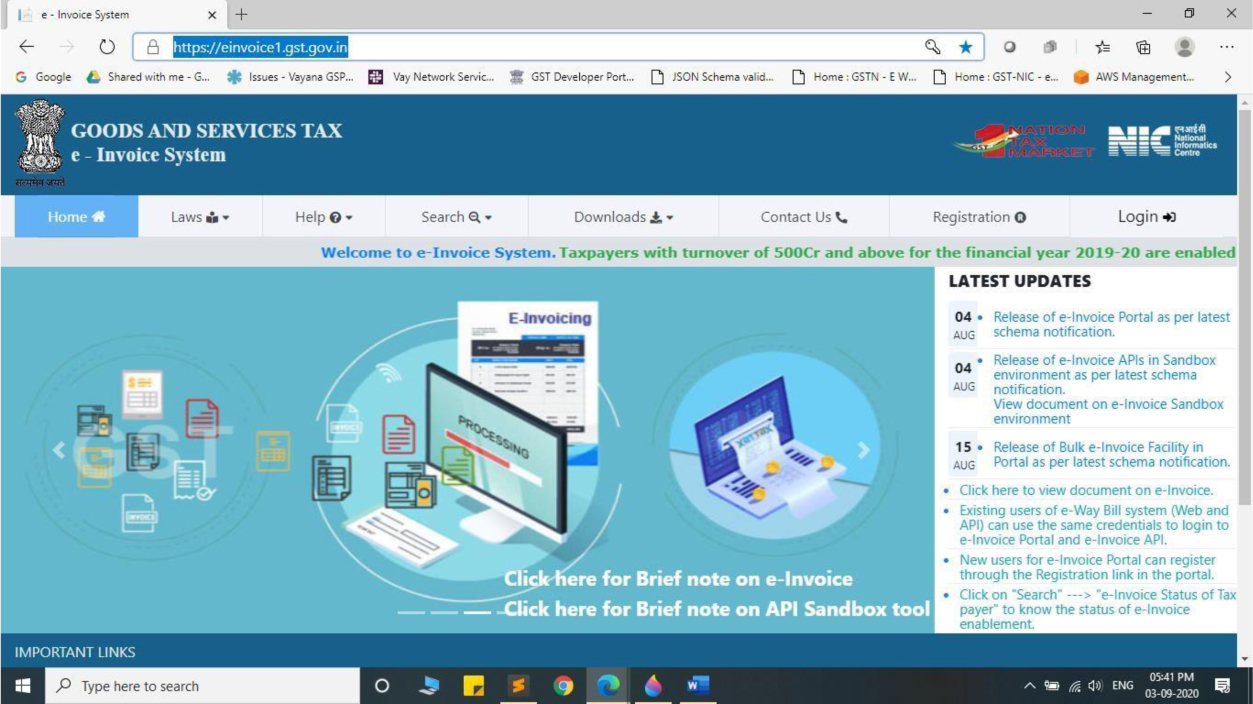
- Login to the NIC E‑Invoice Web Portal at https://einvoice1.gst.gov.in/.
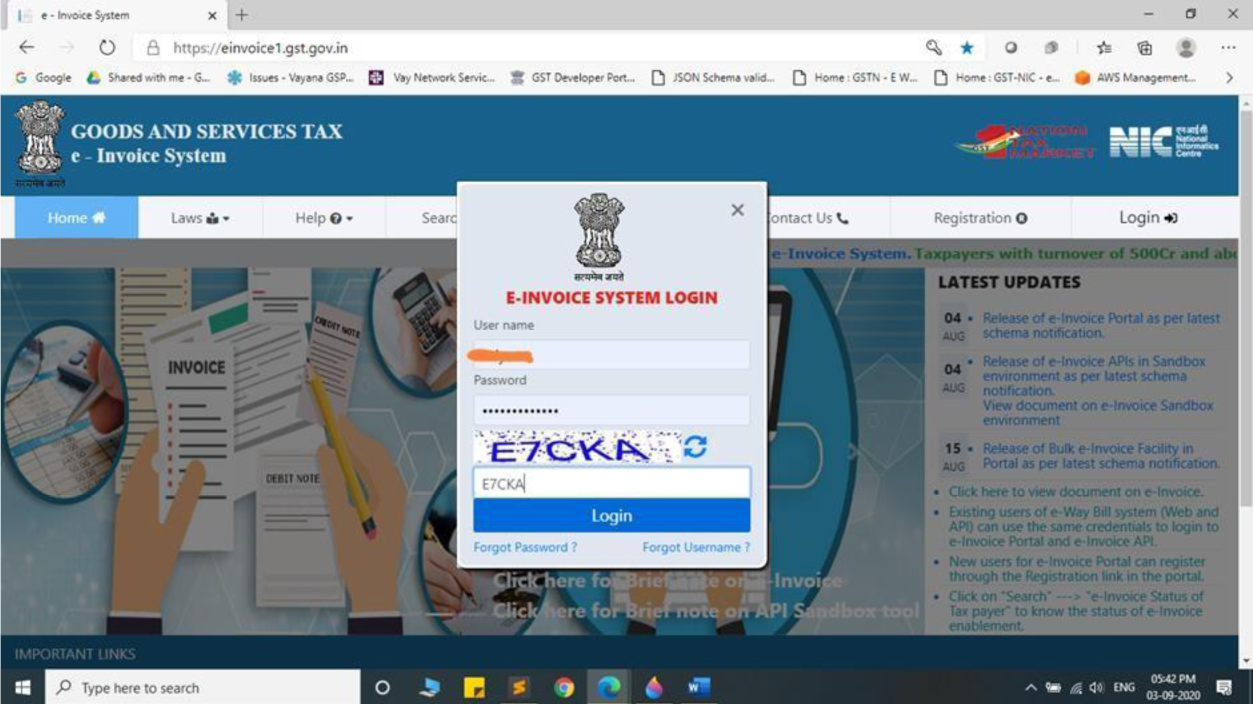
- Click Login and enter your Username and Password.
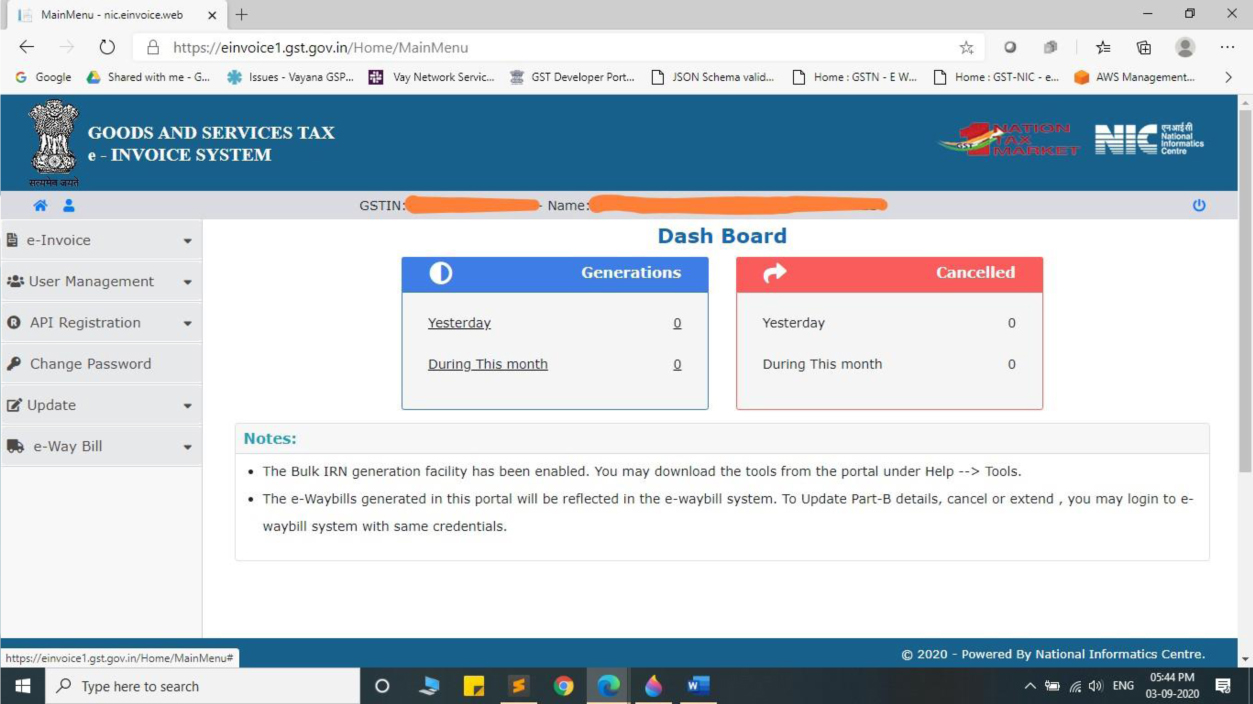
- After successful login you will see the dashboard screen.
- Click on API Registration.
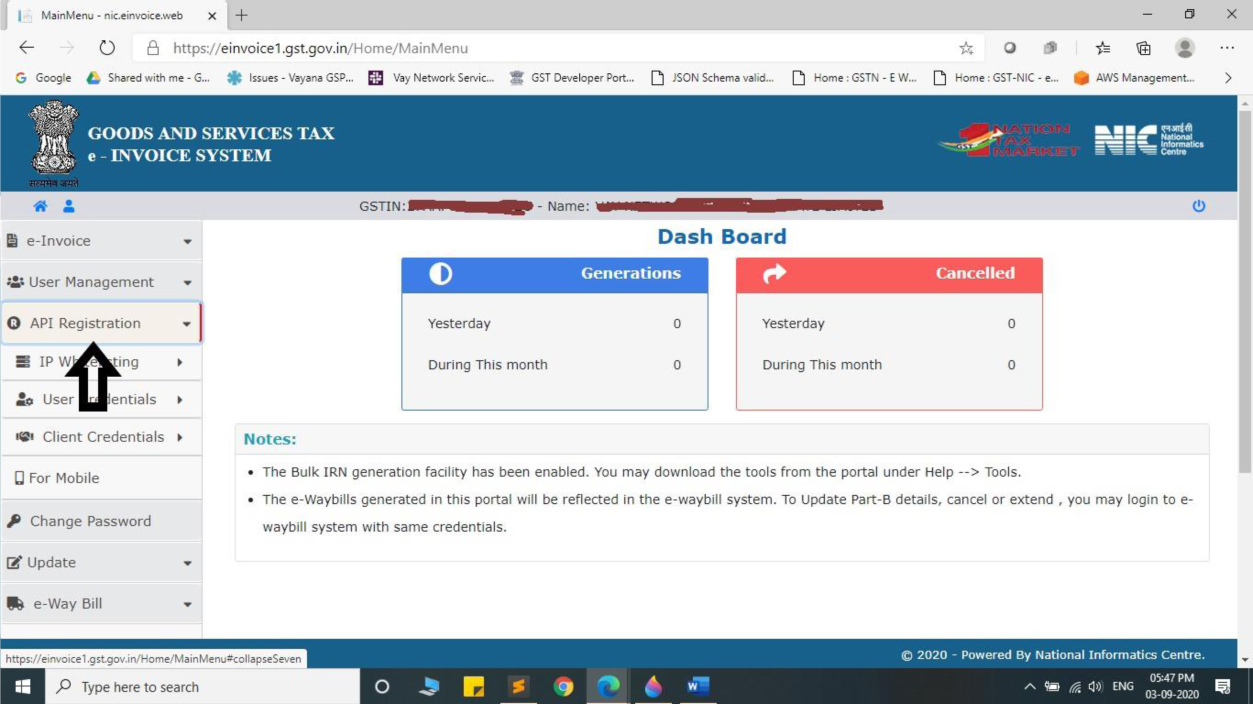
- Select User Credentials.
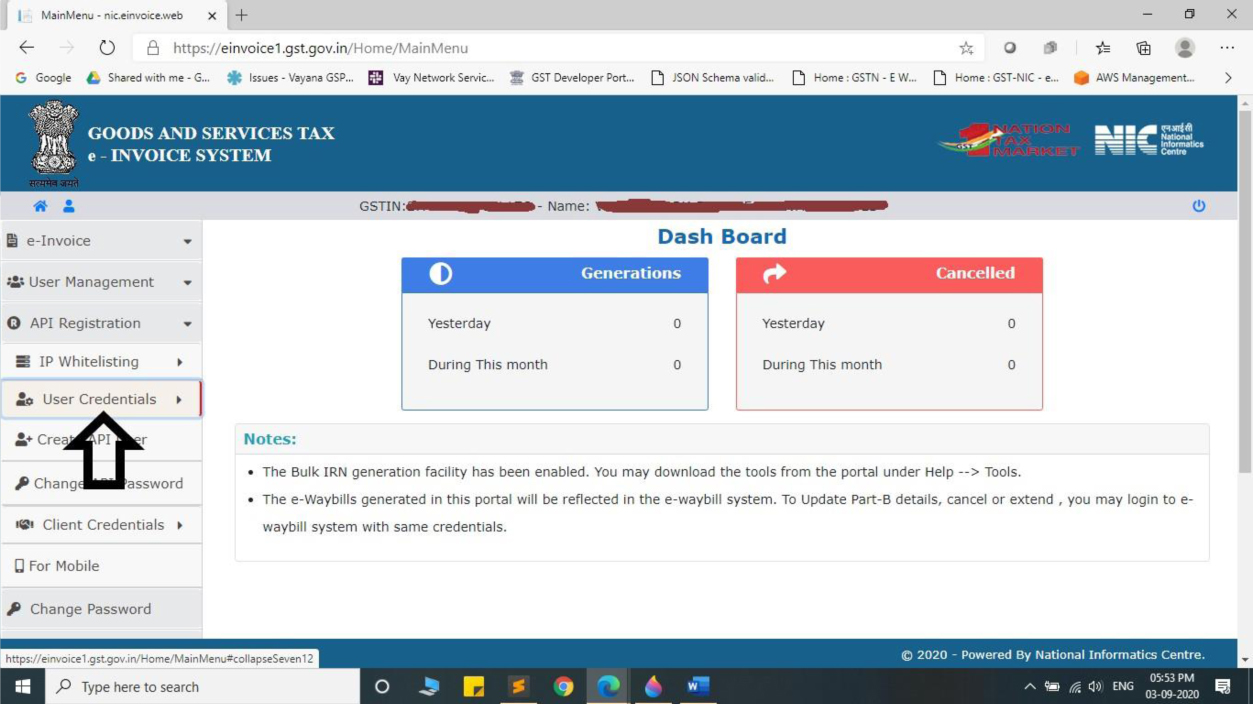
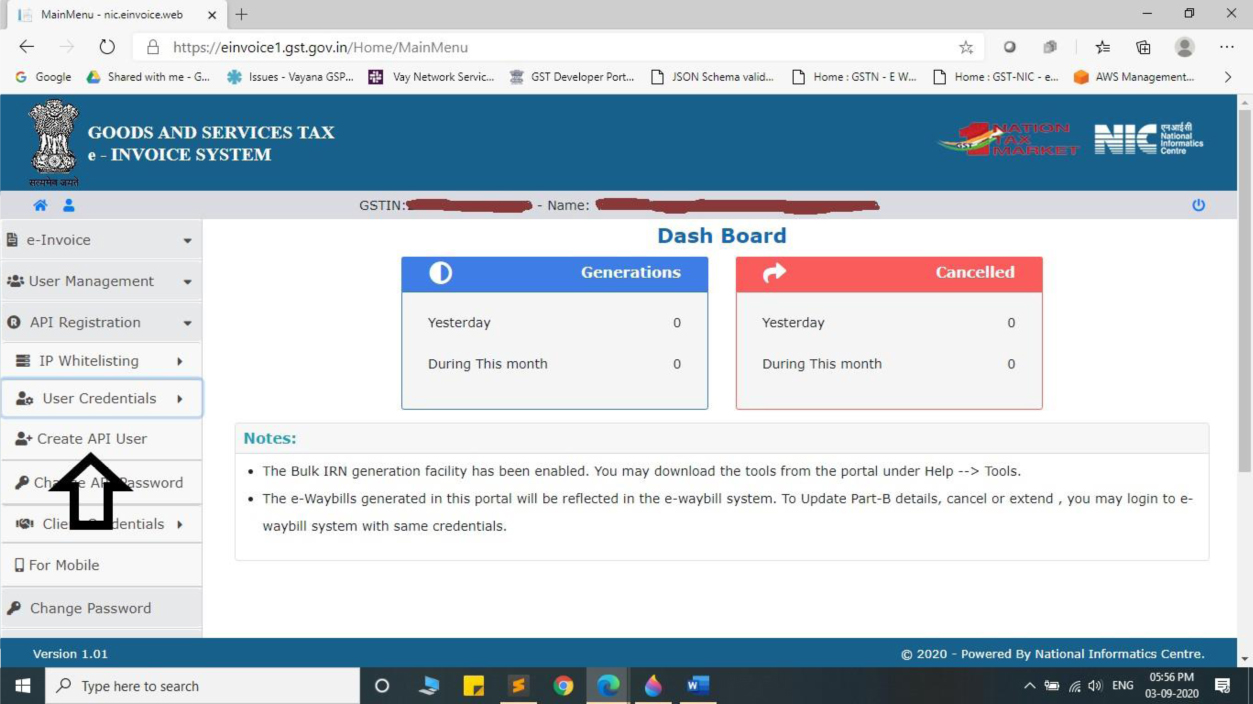
- Click Create API User.
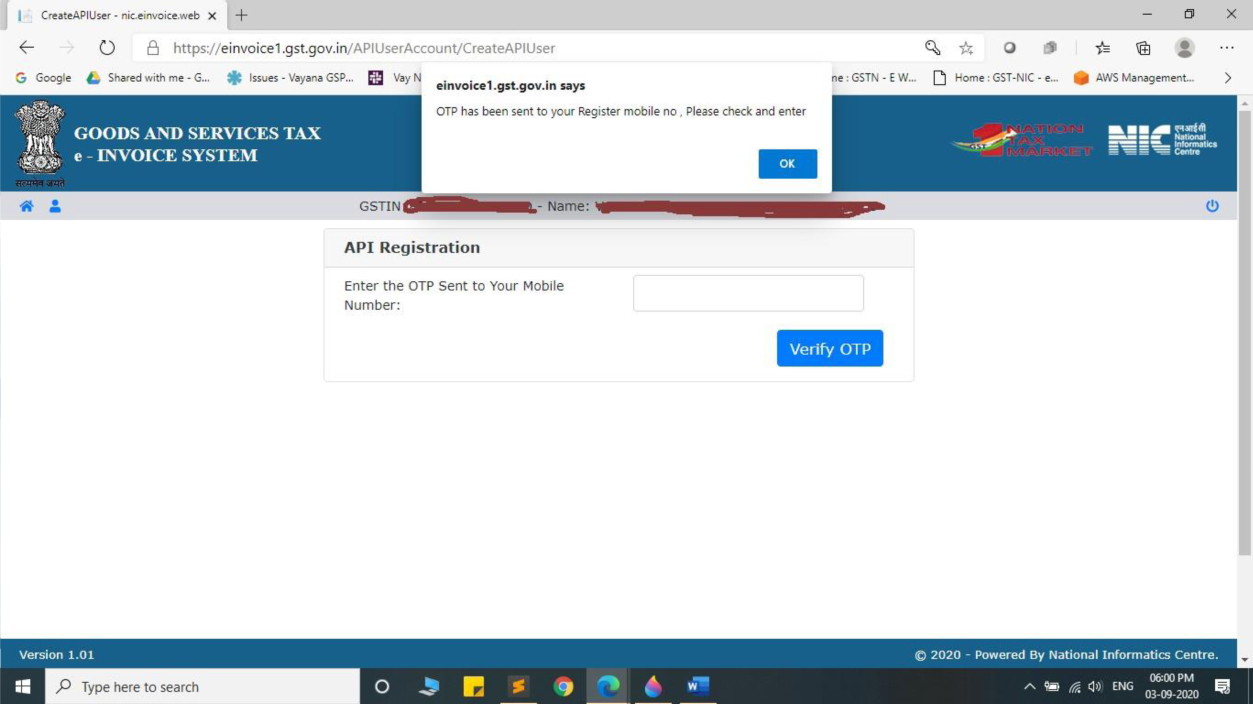
- Enter the OTP sent to your registered mobile number and click Verify OTP.
- Choose Through GSP.
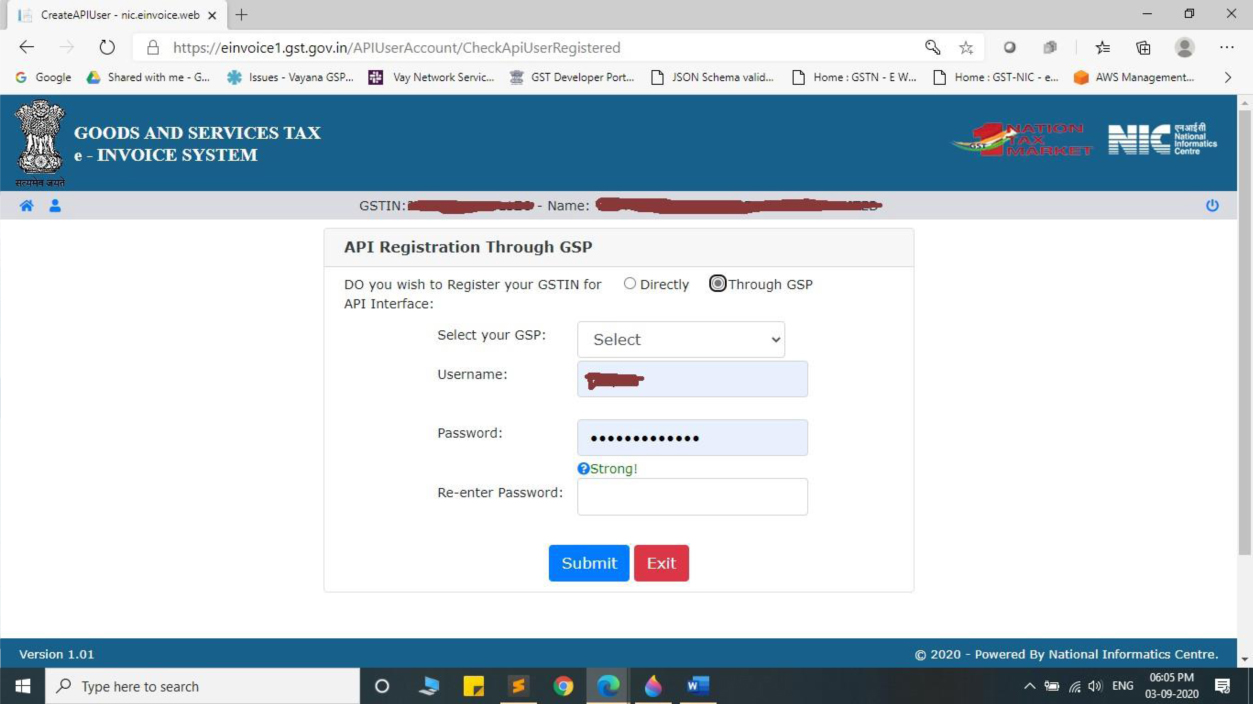
- Select Chartered Information Systems Private Limited as your GSP.
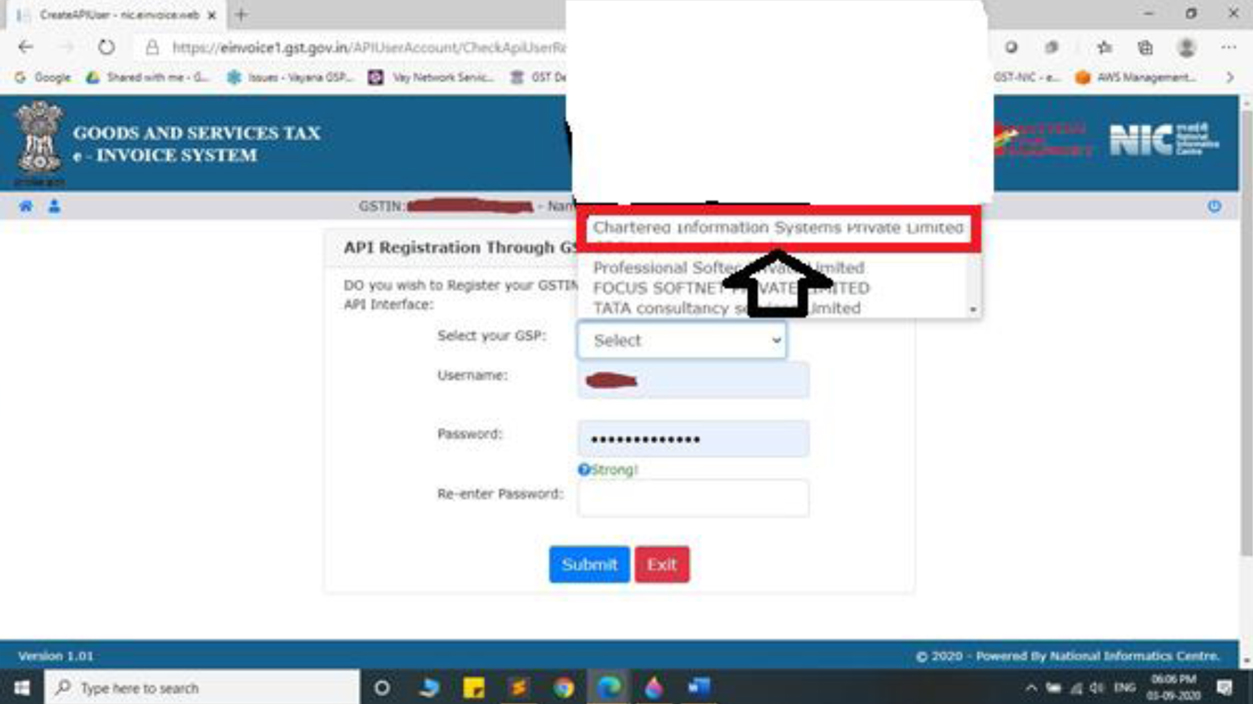
- Create a unique API Username and Password, then click Submit.
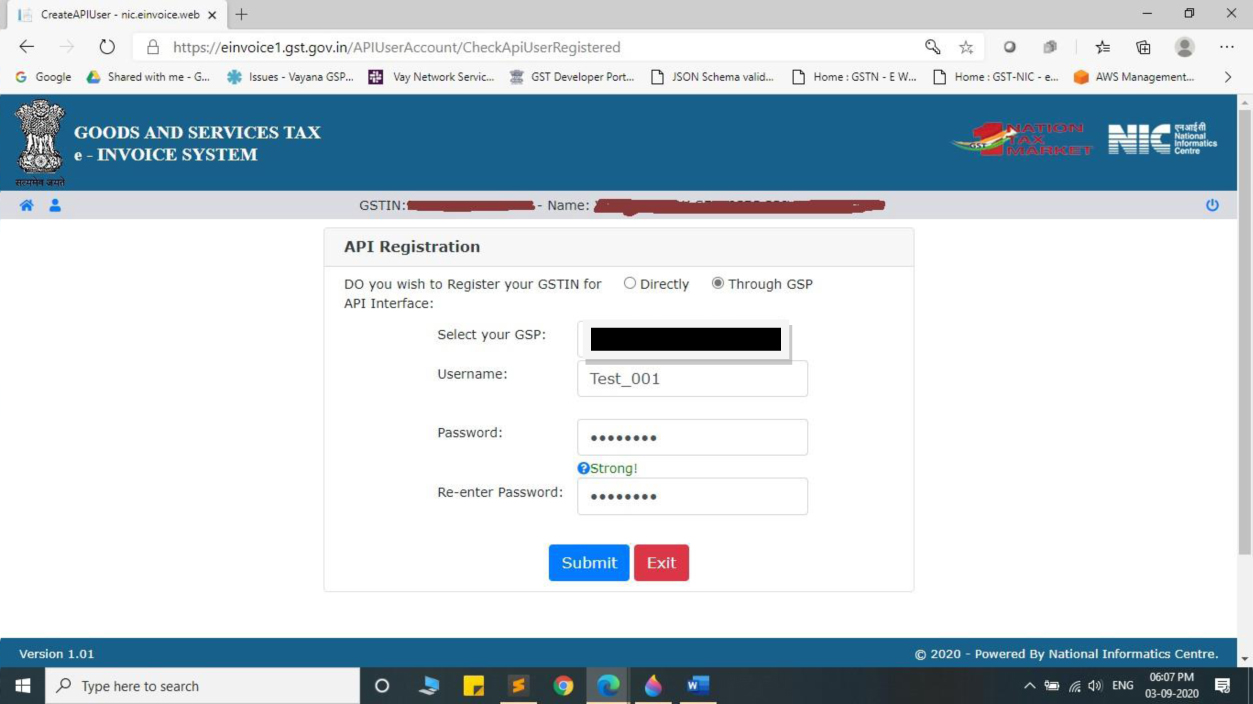
- Confirm the acknowledgement from the E‑Invoice system.
💡 Tip: After registration, go to Setup → Branch Setup → GSTAPI in eCount and enter the new API credentials.
✅ Summary
- Log in to the NIC portal.
- Navigate to API Registration → User Credentials → Create API User.
- Verify OTP, select GSP, and create API credentials.
- Enter the credentials in eCount (Setup → Branch Setup → GSTAPI).