This article explains how to set the page size for voucher printing files in ecount ERP, ensuring your printed vouchers fit on a single page.
📋 Overview
When a voucher contains many lines, printing without a defined page size can cause the data to overflow or be misaligned. Setting the page size aligns the content and prevents truncation.
🔧 Steps / How-to
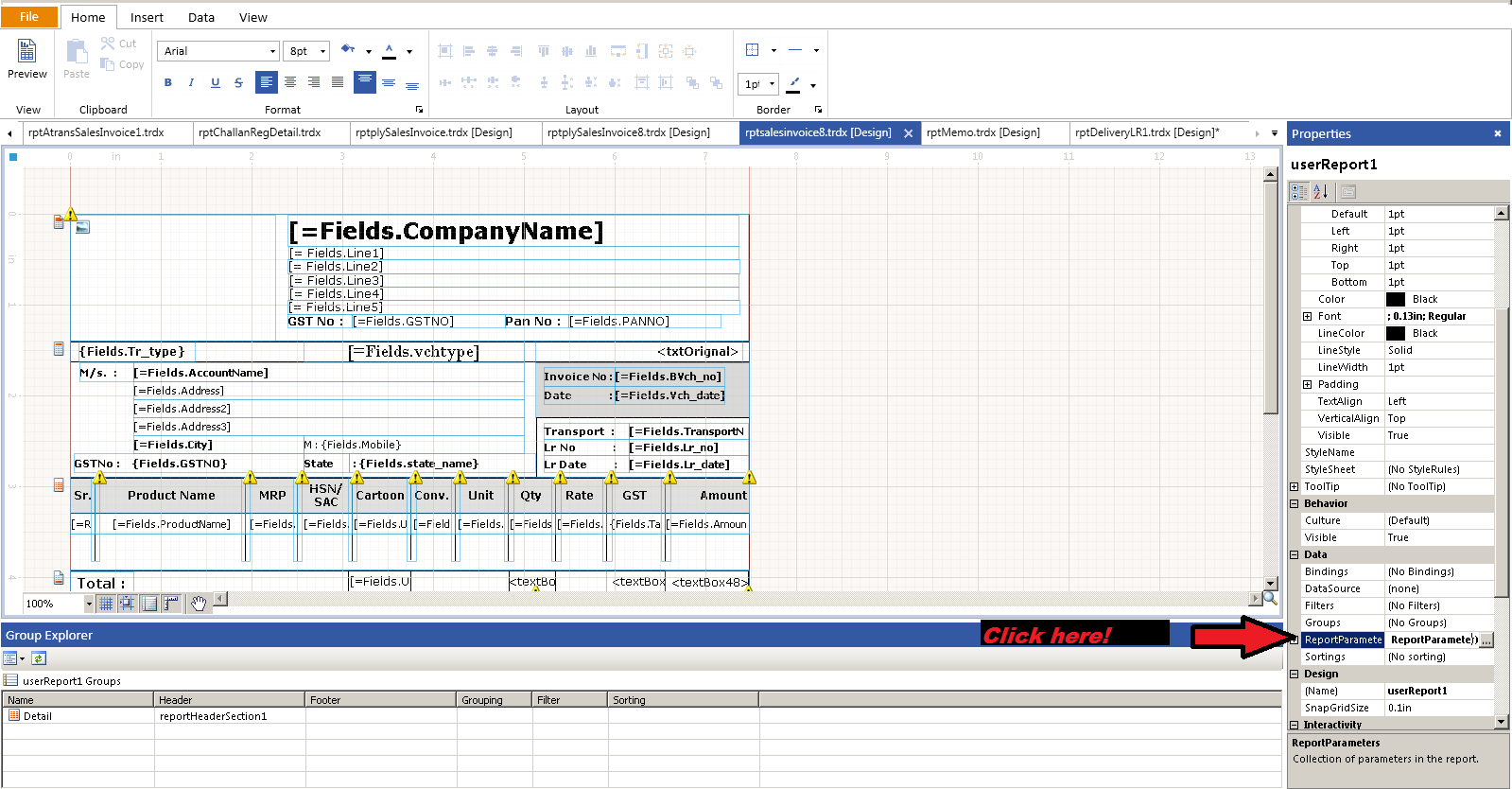
- Open the Print File. In the bottom‑right corner, click the ReportParameter button.
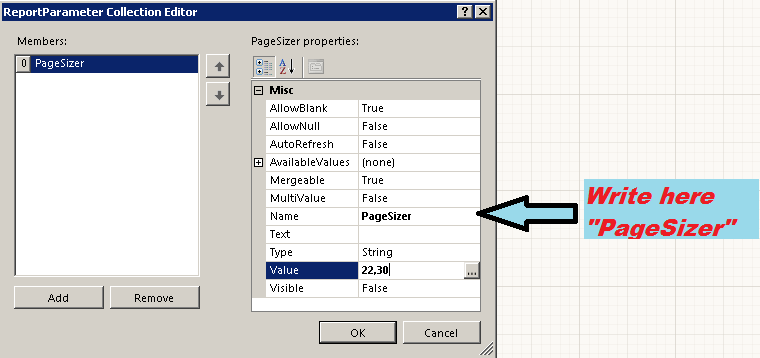
- In the pop‑up window, type PageSizer into the Name field. The system will automatically adjust the page size based on the data.
💡 Tip: Set the PageSizer before printing large vouchers to keep all lines visible on one page.
✅ Summary
- Open Print File and click ReportParameter.
- Enter “PageSizer” as the Name.
- Print the voucher – data fits the page.