This article explains how to use the Cangrow feature to automatically adjust cell size in ecount documents.
📋 Overview
Cangrow automatically sets the height and width of a cell based on its content, eliminating the need for manual resizing.
🔧 Steps / How-to
- Select the target cell in the document.
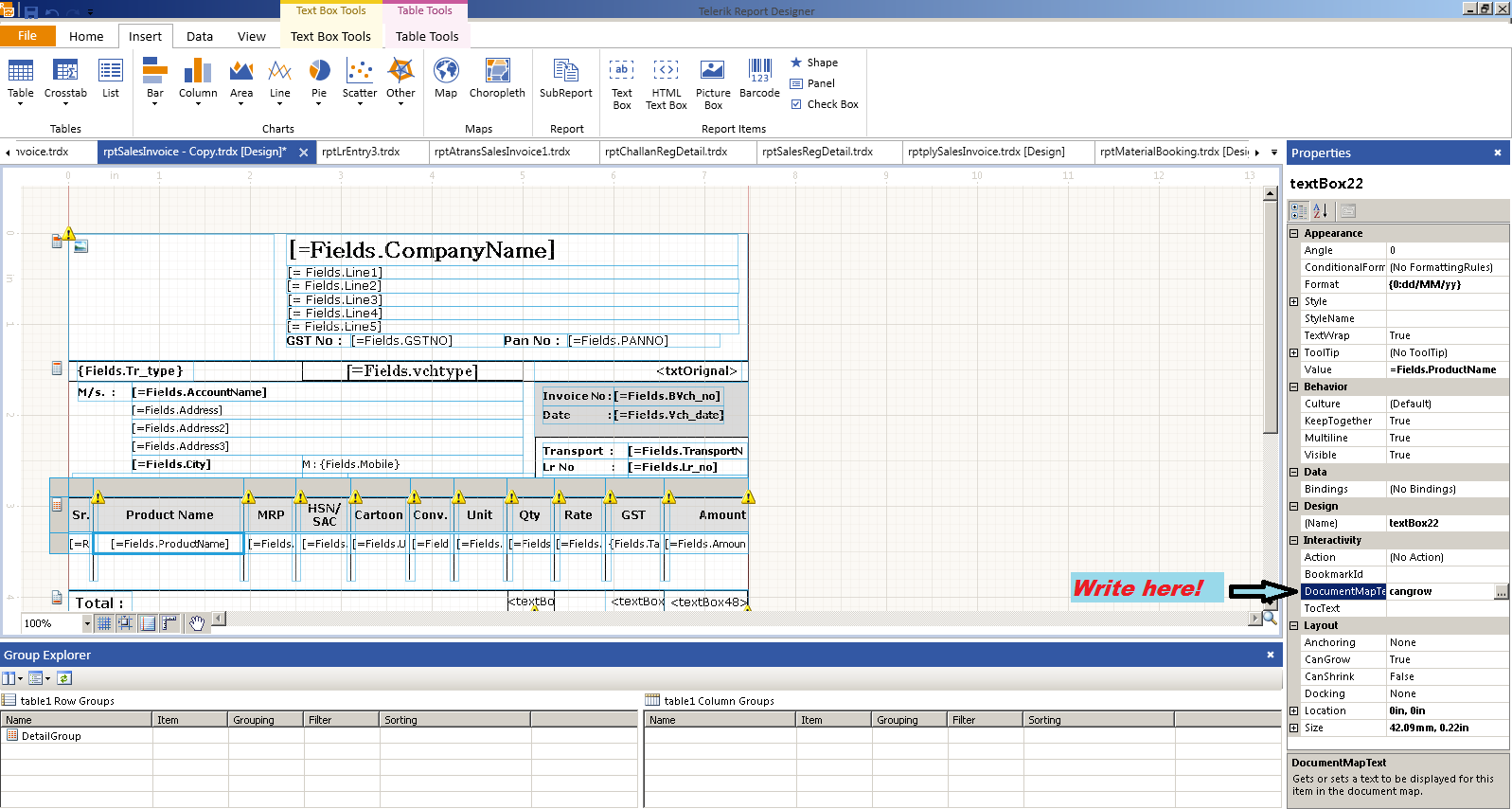
- In the right‑hand panel, locate the DocumentMapType field.
- Enter Cangrow as the value.
- The cell resizes instantly to fit the entered data.
💡 Tip: Use Cangrow for tables that frequently change size to keep layouts consistent.
✅ Summary
- Select the cell you want to resize.
- Set DocumentMapType to Cangrow.
- Cell automatically adjusts to content.