This article explains how to change numeric values from integer to decimal in eCount ledger print files.
📋 Overview
Ledger print files display amounts using the numeric format defined in the file. You can switch from integer to decimal format using built‑in formatting or a conversion function.
🔧 Steps / How-to
Method 1 – Use the Format option
- Open the desired print file. In the right‑hand pane click Format.
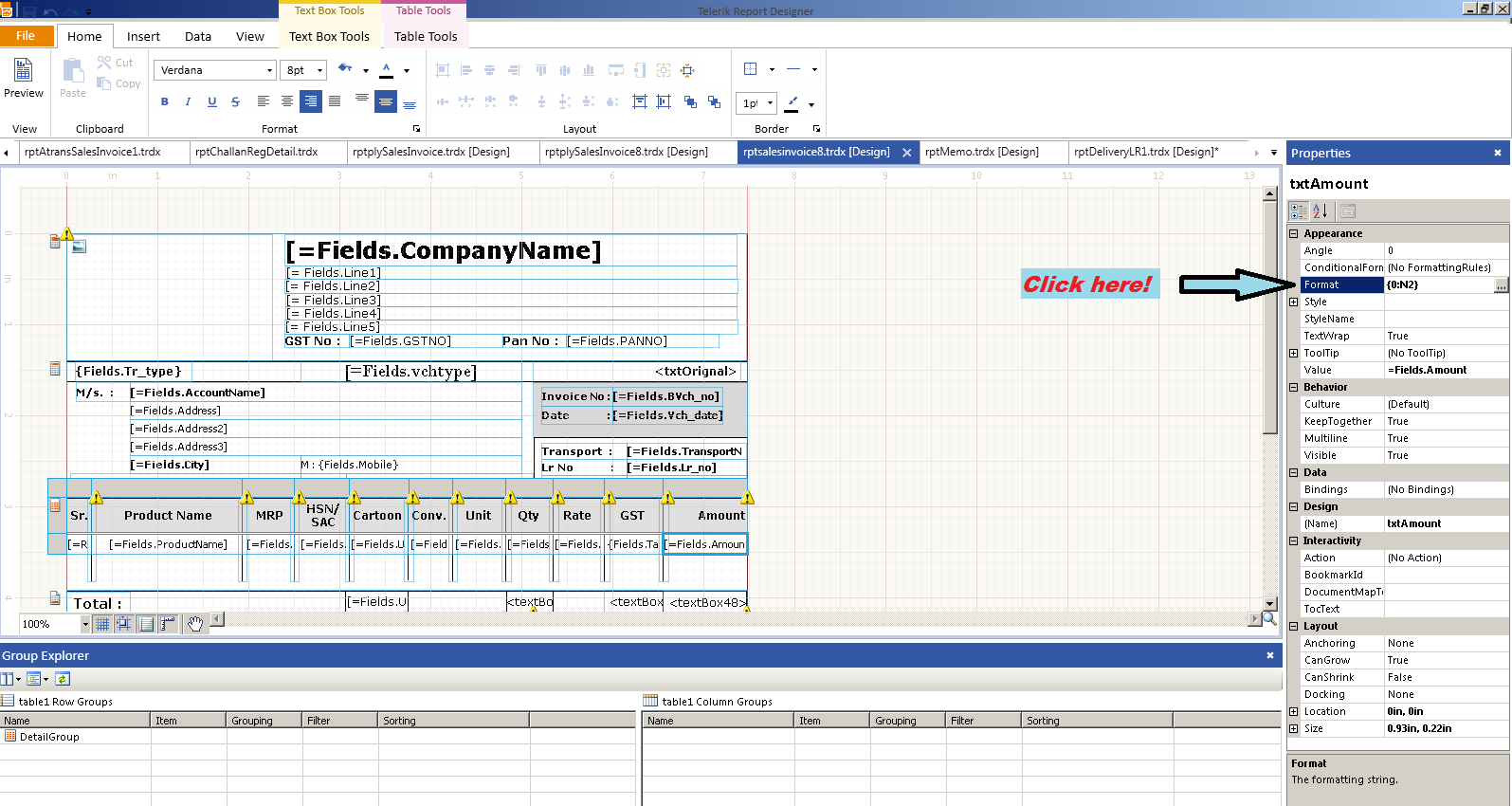
- In the pop‑up window select Number, set the required decimal places, then click OK.
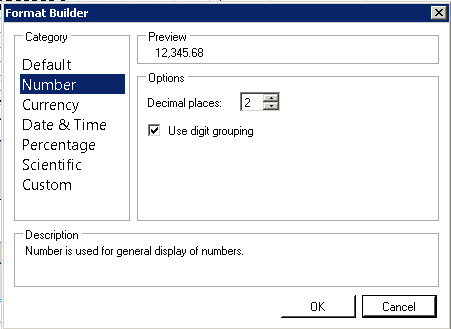
Method 2 – Use a conversion function for mixed data types
- Open the print file, right‑click anywhere (or click Value on the right side) to open the value dialog.
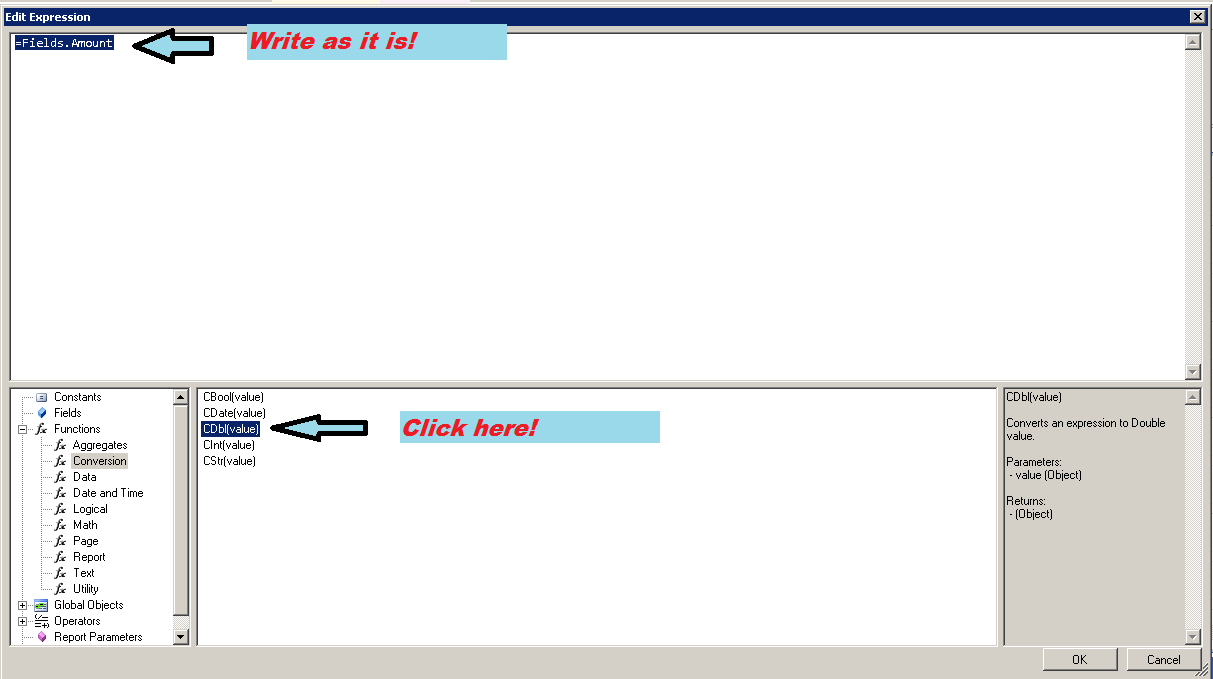
- Navigate to Function → Conversion, choose Cdb(value), and enter
Fields.Amountin the Value field (mandatory). Click OK.
💡 Tip: Use the conversion method when a field contains both integer and decimal data, ensuring consistent decimal display.
✅ Summary
- Open the print file and click Format → Number to set decimal places.
- Or use Function → Conversion → Cdb(value) with Fields.Amount for mixed data types.
- Confirm changes and save the print file.